
Jordi van Swam
Gameplay programmer
About Me
Hello, my name is Jordi van Swam
I'm a 26 year old software engineer with over 8 years of experience developing desktop and VR applications using both unreal and unity. In my work i use a combination of c++, c#, blueprints and other engine tools to achieve the best possible result. My flexible skill set in combination with my many years of working in mixed discipline teams have proven to be of value to the any project I've worked on.
Skills
8 Years Project Experience
| Software | Languages | Spoken languages | Soft Skills |
|---|---|---|---|
| > Unreal Engine: 7 Years | > C++: 4 Years | > Dutch | > Teamwork |
| > Unity Engine: 1 Year | > C#: 1.5 Years | > English | > Communication |
| > Visual Studio: 3 Years | > Python: 6 months | > | > Responsibility |
Featured Projects
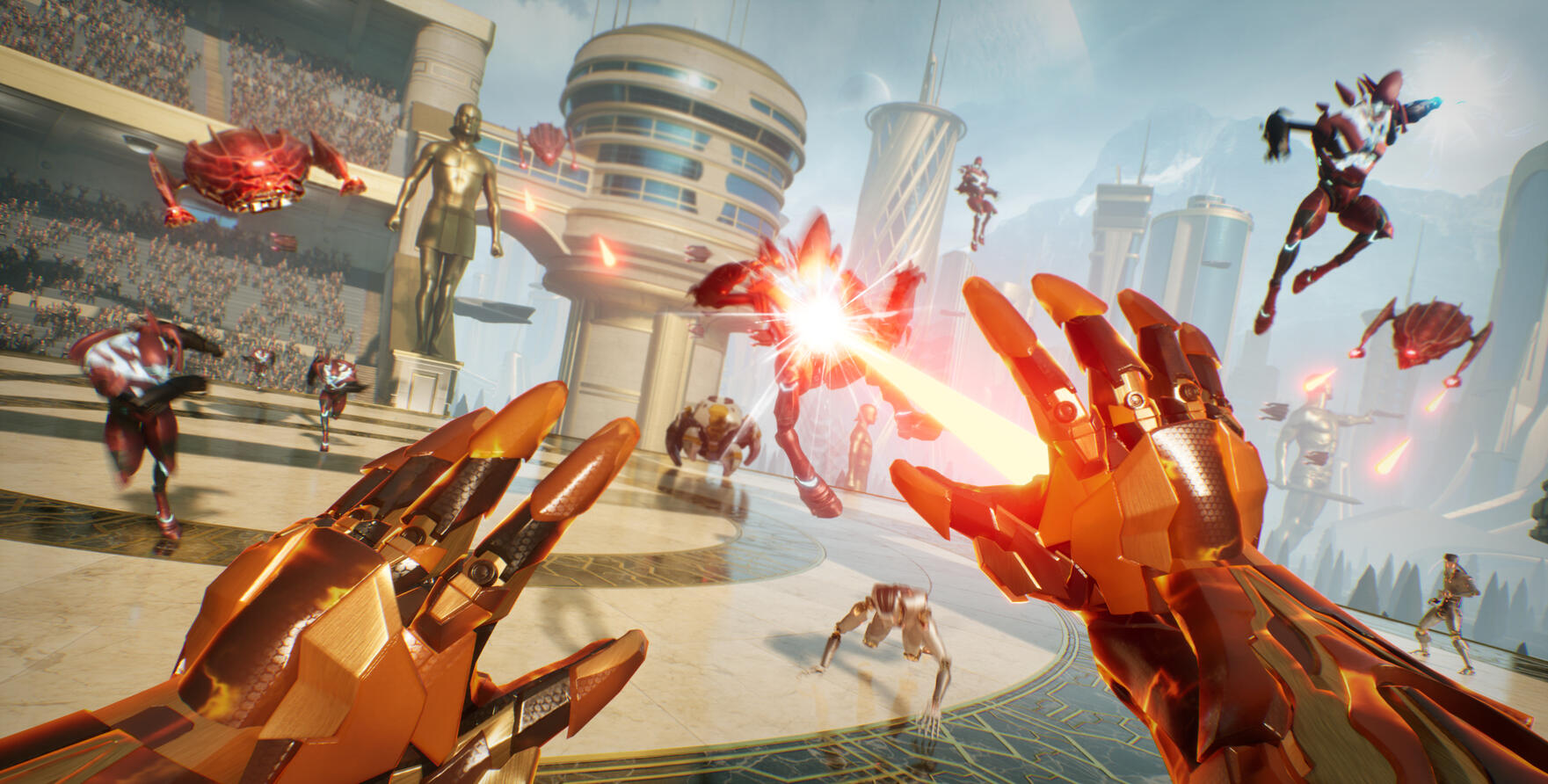
Super Nova ☆
VR Combat-Action game
Unannounced Shooter
4 player coop shooter
Shattered Lights
Roomscale VR horror game
Pre-Flight Checklist
VR Training for pilots
Bioside
Zero gravity VR Shooter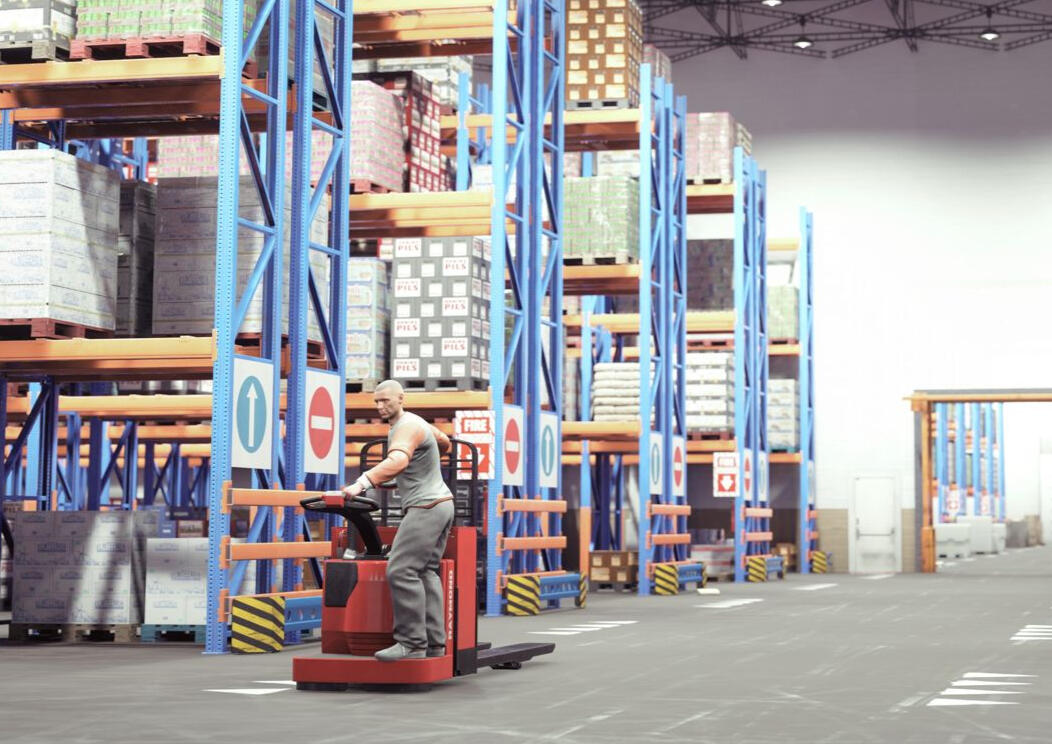
Active Safety
VR training for PIT operators
Contact
Interested by what you've seen so far?
Consider leaving me a message on one of the following places.
Email: [email protected]
Phone: +31 639375247
LinkedIn: Linkedin.com/in/jordi-van-swam
Page Under Construction
Sorry This page is still under construction. Please check back at a later date.
Shattered Lights - student project
A Roomscale VR horror game where you physically walk around to explore
Project Info
Project Duration: 1 year
Team size: 20 people
Engine: Unreal 4
Platform: PC VR
Project Status: Completed
Store: Steam page
Highlighted work
Project trailer
Project Summary
Shattered lights is a VR horror game with a unique way take on player locomotion. Using impossible geometry the player is able to seamlessly explore an underground bunker by only walking around their playspace. With rooms changing around the player while out of their sight.
Personal Contributions
On this project i worked together with several other programmers and designers. As such a lot of work was devided between us. I personally focused on the features most directly connected to the player. The most important of which was our unique non-euclidian locomotion system. Wich i performed the research and implementation for. But i also worked on several smaller systems. Such as player interactables, gameplay encounters, sounds, optimizations and many more.
Player Locomotion
For our unique locomotion system we wanted to player to only have to physically walk in their playspace. To achieve this we initially experimented with a seemless portal system as this would allow for the greates flexbility. However due to limitations in unreal's VR render pipline we ultimately had to scrap this.Our backup plan was to teleport the player between 2 rooms and ensure that all visible elements in both rooms at the teleport location are identical to create the seemless experience.
This limited the extend of available space in each room as we had to dedicate space to the transistions.To help eleviate some of these limitations we also added elevators to allow for easy changes of scenery. And we added doors to enable us to block sightlines without blocking access. Which helped us hide additional transitions.In the end the largest problem with this approach was the lighting. As often lights from off screen could not be replicated between room transitions due to the walls and environment chanching. Some way to bake lighting and copy it over between rooms would have saved us a lot of time.
Original portal prototype - Failed to work in VR
Hidden teleportation prototype for VR compatability
Interactable Items
Interaction in a VR game is important and as such we made several interactable item in our game. Some of these served gameplay functions such as elevators, doors and keycards. But there are also several other items that are just there for the player to play with.
Showcase of several interactables
Optimization
Another important aspect of any VR title is performance. A smooth 90 fps experience must be maintained at all time to prefent motion sickness. As such i used this project as an opportunity to learn the basics of game optimizations. From limiting drawcalls to LOD's and the difference between forward and deferred rendering as well as how to use tools like renderdoc to pinpoint bottlenecks.
And through these effort we were able to get shattered lights to run smoothly on our intended hardware.
Unannouced Shooter
A 4 player coop shooter inspired by helldivers
Project Info
Project Duration: 6 months
Team size: 7 people
Engine: Unreal 5
Platform: PC
Project Status: On Hold
Highlighted work
Trailer under NDA
Project Summary
This project is a 4 player co-op shooter inspired by helldivers.
In the game a group of up to 4 players work together to extract a valuable artifact from the surface of a hostile alien world. Players must battle waves of incoming enemies as they slowly upgrade their arsenal over the course of a mission.
Personal Contributions
This project was developed with a small team meaning that i was involved in a large part of the gameplay. I was mainly responsible for the interactions on the player side but ended up helping a lot on the enemies aswell.The following is a list of highlights and should not be consided a complete representation of all the work provided.
Muliplayer GAS setup
Because this project was our first major experience using multiplayer we decided to use the Gameplay Ability System (GAS) framework from unreal. This framework handles a lot complicated replication concepts such as predictive abilities and bandwith limits.
While this framework is powerful it also has a bit of a learning curve to it. As such i was tasked with setting up GAS for our project and to teach the rest of the team how to properly utilize the system.Setting up the gas system took around 2 weeks and my learnings on how to properly utilize the system continued all throughout development. Each time i would make a new discovery i would also share it with the team through messages or direcly when helping them solve an issue.in the end GAS ended up being a huge boon to this project. As it provided a standardised structure that allowed for developers with limited replication experience to still make multiplayer compatible content.
Player Weapons
As a shooter one of the main player interactions will be to shoot their guns. As such it was important that this system was setup properly and that designers could easily tweak it. We also had to make 15 different weapon items in only 6 months.To manage these requirements I decided to not overcomplicate the sytem and made a single weapon base class that would handle the core functions of shooting the gun. Such as spawning the projectile, applying recoil, consuming ammo etc. We could then make all weapon types as child classes that simply used different settings and visuals.This ensured that all the different weapon types in our game were using the same underlying code. Which made it easy to track down bugs and to introduce new features.
It also made it easy for designer to tweak the weapons as they had a giant list of settings that they could change and no way for them to accidentaly introduce new bugs.
Enemy Locomotion
A few months into the project our client expressed an interest in having our enemies not only navigate on floors, but walls and ceilings aswell. Knowing that under our timeline we could not manage this request we decided to use a marketplace plugin that claimed to be plug and play.
Unfortunately the plugin had some limitations. The largest of which is that it did not support root motion animations, wich was something our enemies relied on. As such I had to extend the plugin's pawn code to support networked root motion as well as fix other issues with our enemy behaviour that resulted of this wall navigation.
Pre-Flight Checklist
A VR training demo for pilots performing a pre flight check.
Project Info
Project Duration: 2 months
Team size: 6 people
Engine: Unreal 4
Platform: PC VR
Project Status: Completed
Highlighted work
Gameplay Showcase
Project Summary
Pre-Flight Checklist is a VR training program for pilots. In the scenario pilots need to perform a visual inspection of their plane using a checklist to make sure their plane is in good condition.In the main scenario pilots need to drag every checklist element to their corresponding component and are asked whether the item passes the inspection. Several elements are randomly assigned to be broken which the pilot needs to identify to pass the scenario.
Personal Contributions
I worked as a solo programmer on this project, As a result I had to set up the entire gameplay flow of the project. I was able to streamline a lot of the work by using our existing template which takes care of the vast majority of VR interactions such as grabbing and teleporting.However our company template did not take care of every requirement and some elements had to be custom made. Such as the checklist and point of interest system.
Checklist-POI system
The main player interaction in this project is dragging out checklist elements to their corresponding items in the world. As such we put a special focus on making the interactions as smooth as we could.Each checklist item is a separate grabbable item that manages its own movement between being in the checklist, in the hand or in a POI.The POI's themselves have several animation states that they animate between and they collapse themselves automatically to minimize visual clutter.
Showcase of the checklist and POI interactions
Scenario Setup
As the solo programmer on the project I also had to set up the rest of the project flow. From the main menu, to on-boarding, scene transitions and the end screen. These were mostly handled in the level blueprint and made use of our internal step system.

Code responsible for handeling the tutorial section
Bioside - Student project
A Zero gravity VR shooter demo
Project Info
Project Duration: 3 months
Team size: 20 people
Engine: Unreal 4
Platform: PC VR
Project Status: Completed
Store: https://buas.itch.io/bioside
Highlighted work
Project trailer
Project Summary
Bioside is a VR shooter where the player needs to navigate in a zero gravity environment. Using a variety of guns to defeat the enemies that stand in their way.Bioside's main selling point is the combination of zero gravity movement with the intense action of shooters. Giving the player full 3d control of their position in the level and letting them use the environment to its fullest ability.
Personal Contributions
I was involved in many different aspects of biosides development. Due to me setting up the inital project and blueprint classes i became a cornerstone of communication for the project. Helping out with issues in nearly all gameplay systems and building up an deep understanding of the projects structure.Alongside that i also still able to develop several systems myself.
Project Setup
This project originally started 1 week before a major vacation. Because this was my first VR title i was excited to jump in and decided to spend some of my free time during the vacation to setup a basic template for our project. To accomodate this i made sure to get a bunch of specifications from designers before the vacation started so that my framework would fit with the vision for the project.In this prototype i set up the basic zero gravity navigation where the player could grab the environment and throw themselves around. I also made a pistol that the player could grab and shoot as well as some targets.This jumping off point proved very usefull as we immidately had an enviroment where designers could test their ideas. And level artists could see how their design would interact in the context of zero gravity.
Drone enemy
After setting up the basic template I started to focus on a specific task. For me this was our main enemy in the game, the drone.For navigation we used a free 3d-navigation plugin, Which after some debugging worked well for our needs. The drones themselves were simple. Having only 2 states, patrolling and attacking. The main complications came from the multiple ways the player could interact with the drone. With the player able to grab the enemies, several unique death animations and with them having to navigate around line of sight obstructions. The enemies became quite complicated but in the end all systems were able to work together without any bugs.
Zero-G locomotion
The big selling point of this game was its Zero gravity environment. And while turning off gravity in a game engine is easy enough. Making the navigation feel good is quite a challenge.Our navigation came in 2 parts. First the player was able to grab any part of the environment and throw themselves off the wall. And the second were small hand thrusters intended for course correction.
For the wall grabbing I built a system that let the player move themselves around when grabbing the environment. With special focus on collision resolution, as the unreal default collision blocking caused jittery results.We also added a special calculation for the launch angle when a player would release themselves from the wall. For this process I worked closely together with designers to tweak the system so you could reliably launch yourself in the direction you inteded to.
Trailer
When it came time to release the game I worked on a trailer for the store page. As part of the trailer we tried to record a mixed reality section where we merged a recording from the player on top of gameplay.
While I was technically able to successfully pull this off. The static angle of the camera and the poor color correction make the effect quite underwhelming. In spite of this the rest of the trailer was more successful. with good cinematic shots and an upbeat pacing.
Active Safety
[ Page under construction]
A VR safety training for PIT operation in warehouses
Project Info
Project Duration: 1 year
Personal Time: 4 months
Team size: 10 people
Engine: Unreal 4
Platform: PC VR
Project Status: Completed
Highlighted work
Scenario creation
player guidance
localization
Project trailer
Super Nova
A VR Combat-Action Game were you fight using gestures
Project Info
Project Duration: 3 years
Team size: 20-30 people
Engine: Unreal 4 & 5
Platform: PC VR & Oculus Quest
Project Status: Canceled
Highlighted work
Super nova Trailer
Project Summary
Supernova Is a VR combat action game where the player can fire projectiles by performing several different boxing gestures, such as jabs, uppercuts and hooks. This together with an arsenal of supplementary powers the player is tasked with defeating an onslaught of enemies as they traverse through each level.
Personal Contributions
Super Nova has been in development for over 3 years and as such has gone through many different prototypes during its development. Since I've been with the project since the start I've worked on many aspects of the game. Therefore the following list should be considered a highlight of the provided work and not a comprehensive list.
Custom Gesture Detection
The core system of this game is its ability to detect boxing gestures from the player in order to trigger abilities. We had several requirements for that system that could not be met by any solution out on the market and as such i was put in charge of developing a custom system.Our final gesture system can detect up to 5 different gestures, a jab, hook, uppercut, hammer strike and a sweep. Each gesture can be performed at any speed and frequency. Each gesture can also be aimed in a direction. Which combined with some aim assist lets you target specific enemies.The final product is also extremely reliable and, after an initial learning curve, is able to reach 95% detection accuracy.
Showcace of the gesture detection
Debugging tools
During development of the gesture detection it was also important to be able to quickly test changes to the system.To help with this i build a replay tool that could capture and play a sessions movement data. We could then directly inject that data into the most recent version detection system to see if it performed better.Later in development it became too time consuming to analyze our one recording at a time.
To combat this i build a tool that could automatically flag any mistakes in multiple recordings at once. And even automatically spawn a replay actor.
Showcase of multiple motion recordings being replayed
Showcase of gesture analyzing tool
Gravity manipulation
The gravity manipulation is a player ability that works like “the force” from star wars. It lets the player aim at distant objects and take hold of them with their gravity powers.The system handles events between the player and objects in a generic manner allowing us to use it for many different objects and iterations. Such as the locomotion being build on top of this system.Because of the many prototypes developed using the gravity system the final code became very convoluted and a rework of the system was started.Unfortunately the rework could not be finished before the project was canceled but the new system was already capable of supporting multiple new features. Such as movement restraints to allow for sliders and breakable objects.
The gravity system used to move around objects, system is able to interrupt enemy behaviours
Gravity system overrides allow for locomotion
System rework Allowing for multiple new features
Demo AI & Gameplay
Before Supernova went into proper development we built a smaller proof of concept demo. I ended up building many systems for this demo. Such as the first iteration of the gesture detection and most AI systems.In the demo our AIs were drones that were loosely stuck to a grid where they could be moved around using sprints. The drones would then shoot in synchronous at the player creating patterns that the player has to dodge.To help designer build interesting patterns i made several quick design tools and other debugging features to help narrow down bugs.
Trailer footage for the demo project
Spawn System
An important part of game feel is the rate and method that enemies spawn into the level.For this i've build several different iterations of a spawning system all throughout development. The final version works through a combination of a data table and spawn locations.The wave table has many different settings to controll which types of enemies spawn, the amount, which spawn locations they can use, when the next wave starts and how all of this changes based on the difficulty setting of the game.The locations simply indicate a valid place for an enemy to spawn alongside a filter to block certain enemy types and an which intro animation it should play.
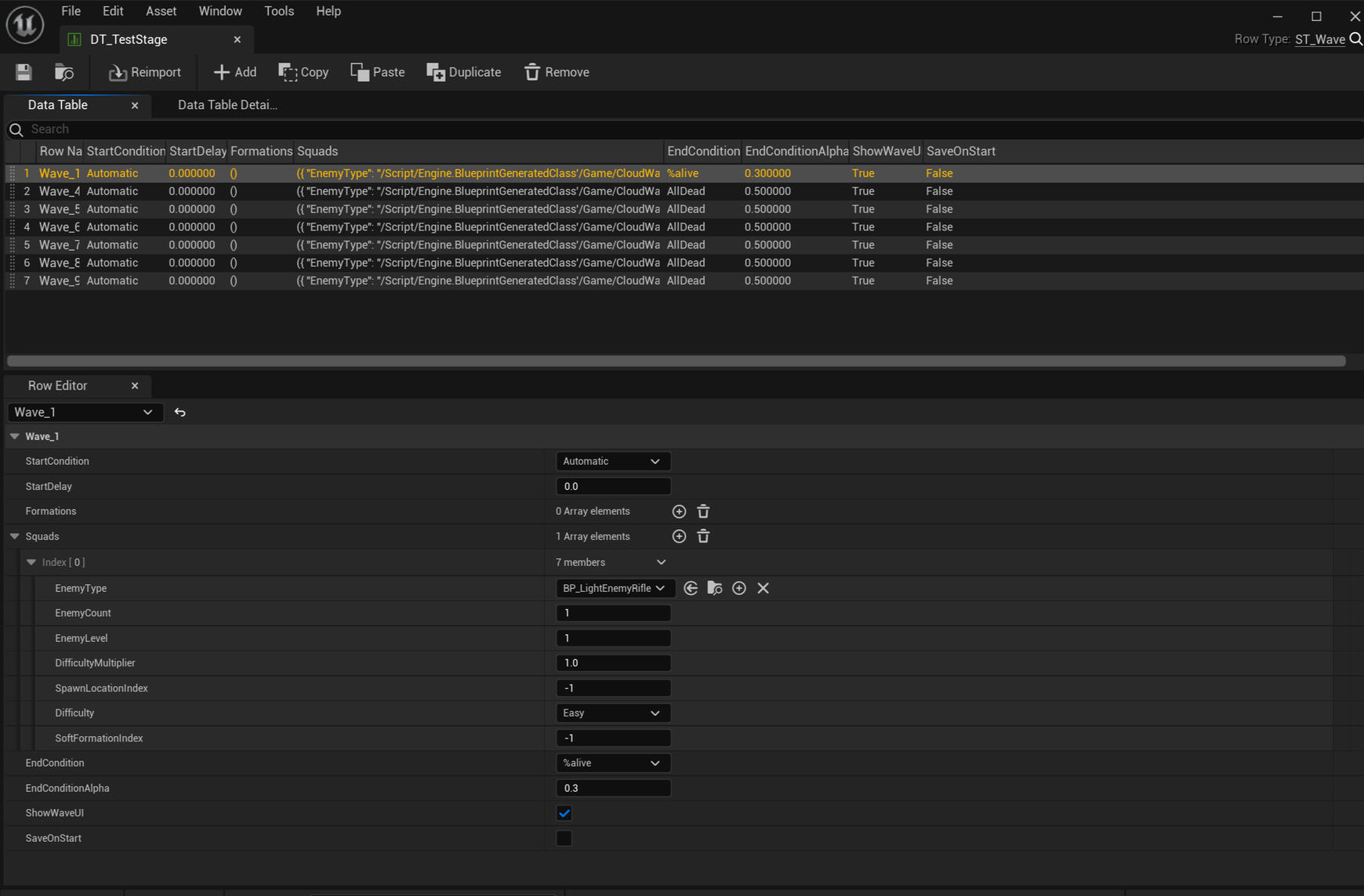
Interface for the wave data table, Allows designers to customize a wide variaty of settings
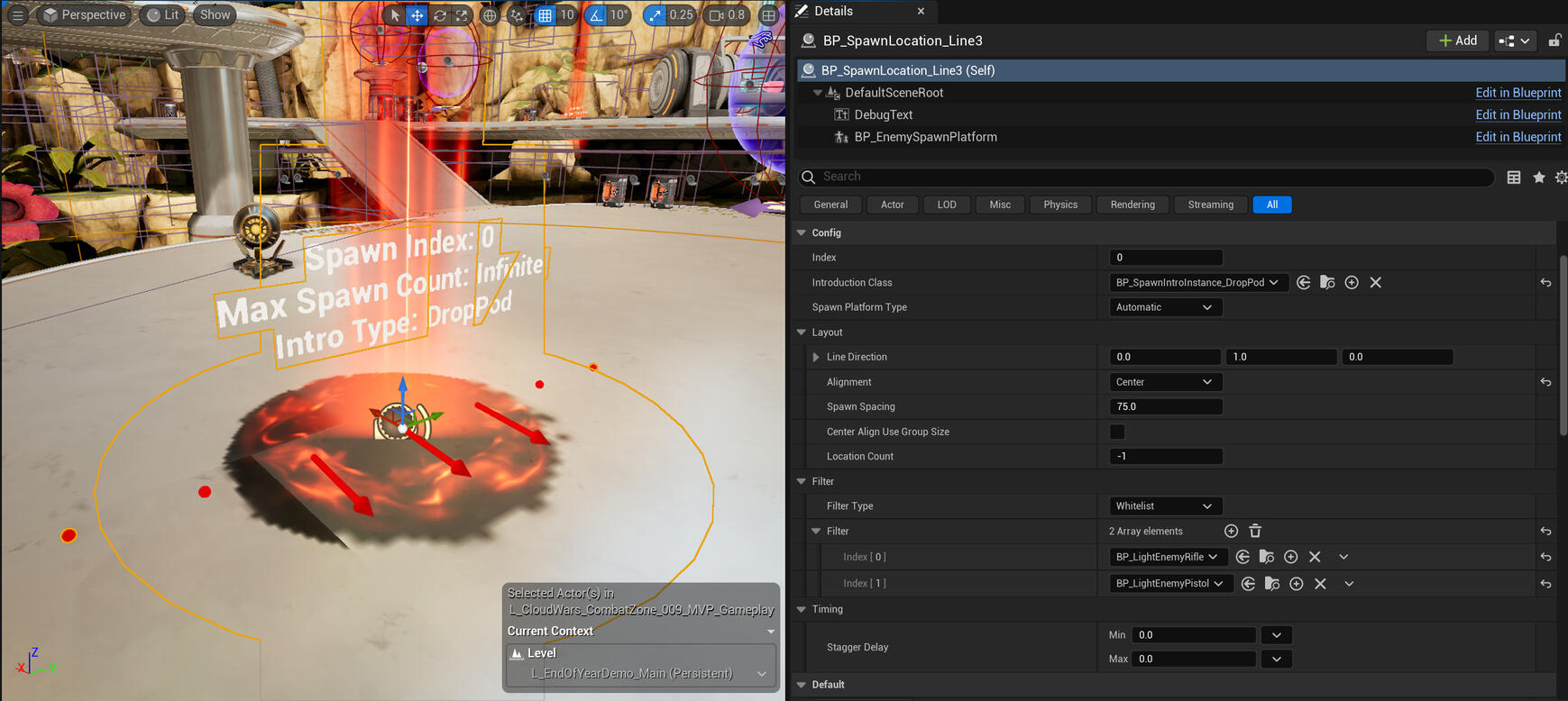
Spawn locations for the enemies alongside their settings.
Locomotion rework
Throughout development we have experimented with several different locomotion types. As a result most of the locomation code became convoluted and hard to edit.
To remedy this we decided to rework the locmotion system from the ground up.For the rework i rebuild the system in a more generic way to allow for greater reusability and more features to be added. Such as different "line" and "point" targets. And support for either dash or fade locomotion types to help with motion sickness.
Reworked locomotion system supporting different movement types and location targets